How to Convert JPG to PDF Securely Without Uploading Files (100% Private)
Learn how to convert JPG to PDF securely without uploading files. Keep your photos private with our free offline converter tool. No server limits!

In today’s digital world, we often need to convert photos to PDF documents—whether it is a scanned ID card, a bank statement, or personal contract. A quick Google search gives you hundreds of "Free Online Converters." But have you ever stopped to think: Where do my files actually go?
Most online tools require you to upload your images to their remote servers for processing. While many are legitimate, uploading sensitive documents to an unknown server always carries a privacy risk.
What if you could convert your files without them ever leaving your device? That is exactly what pdf2photo.com offers. In this guide, we will show you how to securely merge your JPGs into a PDF using your browser’s offline capabilities.
The Hidden Risk of "Server-Side" Converters
When you use a standard online PDF tool, the process usually looks like this:
-
You upload your private photo.
-
The file travels across the internet to their server.
-
Their server processes the file and sends it back to you.
Even if they promise to delete files after 24 hours, your data is temporarily out of your control. For casual photos, this might be fine. But for confidential documents, this is a security risk you shouldn't take.
The Solution: Client-Side Conversion (How We Do It)
At pdf2photo.com, we use advanced Client-Side Technology. This means the conversion code runs directly inside your web browser (Chrome, Safari, Firefox, etc.) on your computer or phone.
-
No Uploads: Your photos never travel to our server.
-
100% Offline Capable: You can even turn off your internet after the page loads, and it will still work!
-
Zero Privacy Risk: Since the files stay on your device, no one else can ever see them.
Step-by-Step: How to Convert Photos to PDF Privately
Follow this simple guide to create a PDF securely in seconds:
Step 1: Open the Secure Tool
Go to the
Step 2: Select Your Images
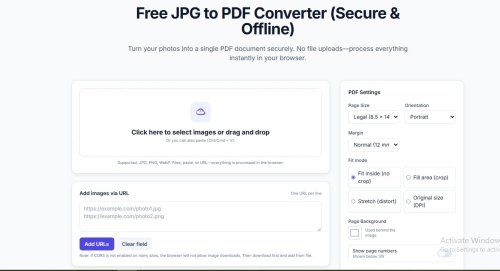
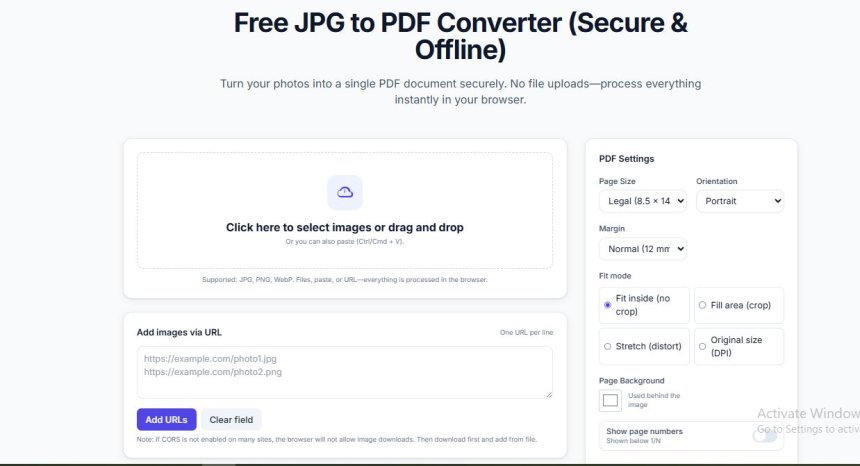
Click the "Select Images" button or simply drag and drop your JPG, PNG, or WebP files into the box. (Tip: You can select multiple photos at once.)
Step 3: Arrange and Customize
Once the images are loaded (instantly!), you can:
-
Drag & Drop thumbnails to change the page order.
-
Select Page Size (A4, Letter, Legal).
-
Adjust Margins and Orientation (Portrait/Landscape).
[Insert Screenshot here: Showing the settings panel]
Step 4: Generate & Download
Click the "Create PDF" button. Your browser will instantly generate the file. Click "Download" to save it to your device.
Why Is This Method Better?
Besides security, there are two other massive benefits to using our offline tool:
-
Lightning Speed: Since there is no "Uploading..." or "Downloading..." wait time, the process is instant. It saves you data and time.
-
High Quality: We don't compress your images aggressively unless you ask us to. Your PDF remains crisp and clear.
Your privacy matters. Next time you need to combine photos into a PDF, don't risk uploading them to the cloud. Use pdf2photo.com for a fast, free, and completely secure experience.
Share
What's Your Reaction?
 Like
1
Like
1
 Dislike
0
Dislike
0
 Love
0
Love
0
 Funny
0
Funny
0
 Angry
0
Angry
0
 Sad
0
Sad
0
 Wow
0
Wow
0